September 20, 2026 Linux thermal-camera Qianli InfiRay V4L2 Qt OpenCV
TL;DR:
I have a Qianli Super IRCam Pro 2S (InfiRay-family USB thermal module, 0bda:5830). Qianli only gives you a Windows app (MEGA-IDEA). On Linux I first found Thermal-Camera-Redux, which already produces excellent images, then I built a from-scratch Qt GUI called Super IRCam (V4L2 + Qt 6 + OpenCV, no Redux code in the binary). GitHub Actions ships AppImage + Flatpak (no .deb — a sid package will not install on Ubuntu 22.04).
- Super IRCam GUI (AppImage / Flatpak): https://github.com/stulluk/super-ircam
- Redux packaging fork (CLI
redux+.deb): https://github.com/stulluk/Thermal-Camera-Redux - Upstream Redux: https://github.com/92es/Thermal-Camera-Redux
What is Super IRCam Pro 2S?
It is a small USB thermal camera that Qianli sells for phone / board repair work. On the desk it sits on a MESA-IDEA stand over the PCB, with a little spotlight:
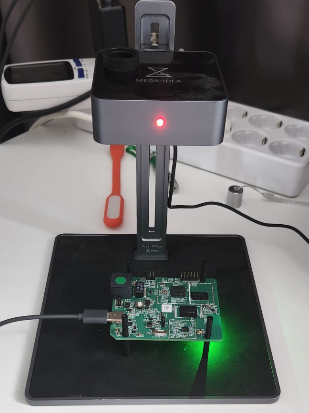
Linux sees it as a normal UVC camera (Realtek 0bda:5830). There is no custom kernel driver. uvcvideo is enough.
Typical lsusb line:
Bus 005 Device 006: ID 0bda:5830 Realtek Semiconductor Corp. USB Camera
Formats are YUY2 256×192 and 256×384 at 25 Hz. The 384-tall mode is the interesting one: top 192 rows are a visual Y plane, bottom 192 rows are 16-bit little-endian Kelvin packed as YUYV. Celsius is just:
T°C = raw / 64 − 273.15
After power-on you get a few seconds of NUC/FFC (all 0x8000, looks like ~238 °C garbage). Skip those frames until the span looks real.
Same family as Topdon TC001 / InfiRay P2 Pro / MaAnt Super IR Cam. The USB radiometry is public; the pain is the vendor software.
The Windows-only problem
Qianli’s MEGA-IDEA app is Windows only. It works (I used it over RustDesk), but I did not want a Windows box just to look at a PCB.
So: is there anything on Linux?
Thermal-Camera-Redux
Yes. Thermal-Camera-Redux (by 92es, based on Les Wright’s PyThermalCamera) is a keyboard/OSD OpenCV HighGUI app. Live USB, offline .raw playback, 37 colormaps, rulers, AVI, the lot.
I packaged it as a Debian .deb with a small wrapper that auto-selects 0bda:5830, otherwise OpenCV happily opens your cheap webcam instead. Also: if you launch Redux from a .desktop file, stdin is /dev/null, the original stdin thread hits EOF and quits immediately. The fork only starts that thread when stdin is a real TTY.
Fork (Docker → .deb, wrapper, stdin fix):
https://github.com/stulluk/Thermal-Camera-Redux
Upstream:
https://github.com/92es/Thermal-Camera-Redux
Redux is excellent. I still wanted buttons, start-menu icon, on-image °C overlays like Redux, click-to-place spots, AVI record, without living in a HighGUI window.
Super IRCam: a new Qt app, from scratch
This is not a fork of Redux and it does not exec redux. I wrote a new C++ program with Cursor:
- raw V4L2 mmap capture
- Qt 6 widgets
- OpenCV only for colormap / resize / PNG / AVI
Same camera, same formula, same 37-colormap set reimplemented. If thermal-camera-redux is not installed, Super IRCam still runs.
Repo:
https://github.com/stulluk/super-ircam
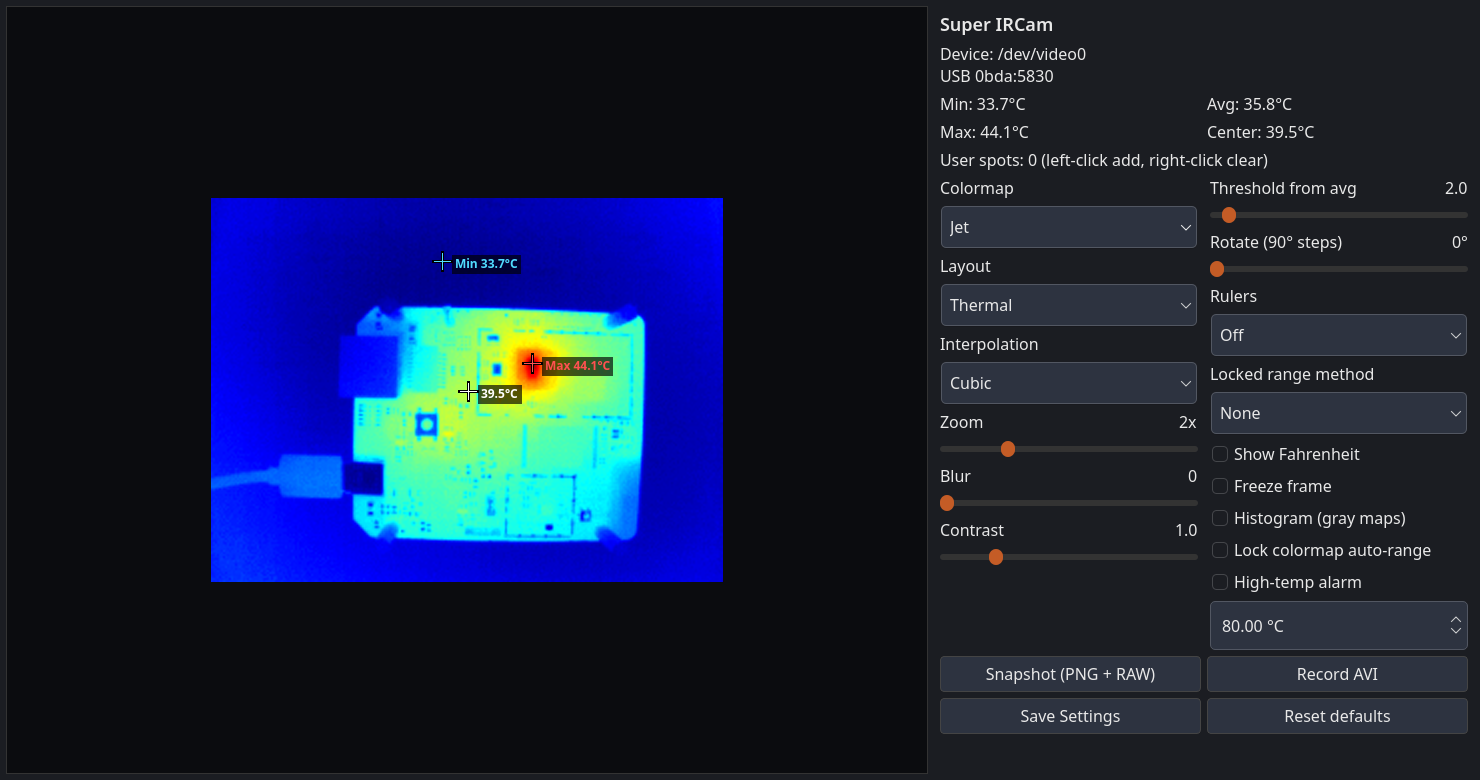
Default Jet view, min/max/center crosshairs on the image, two-column panel (no scrollbar on a normal window):
Inferno / Ironbow / Magma:
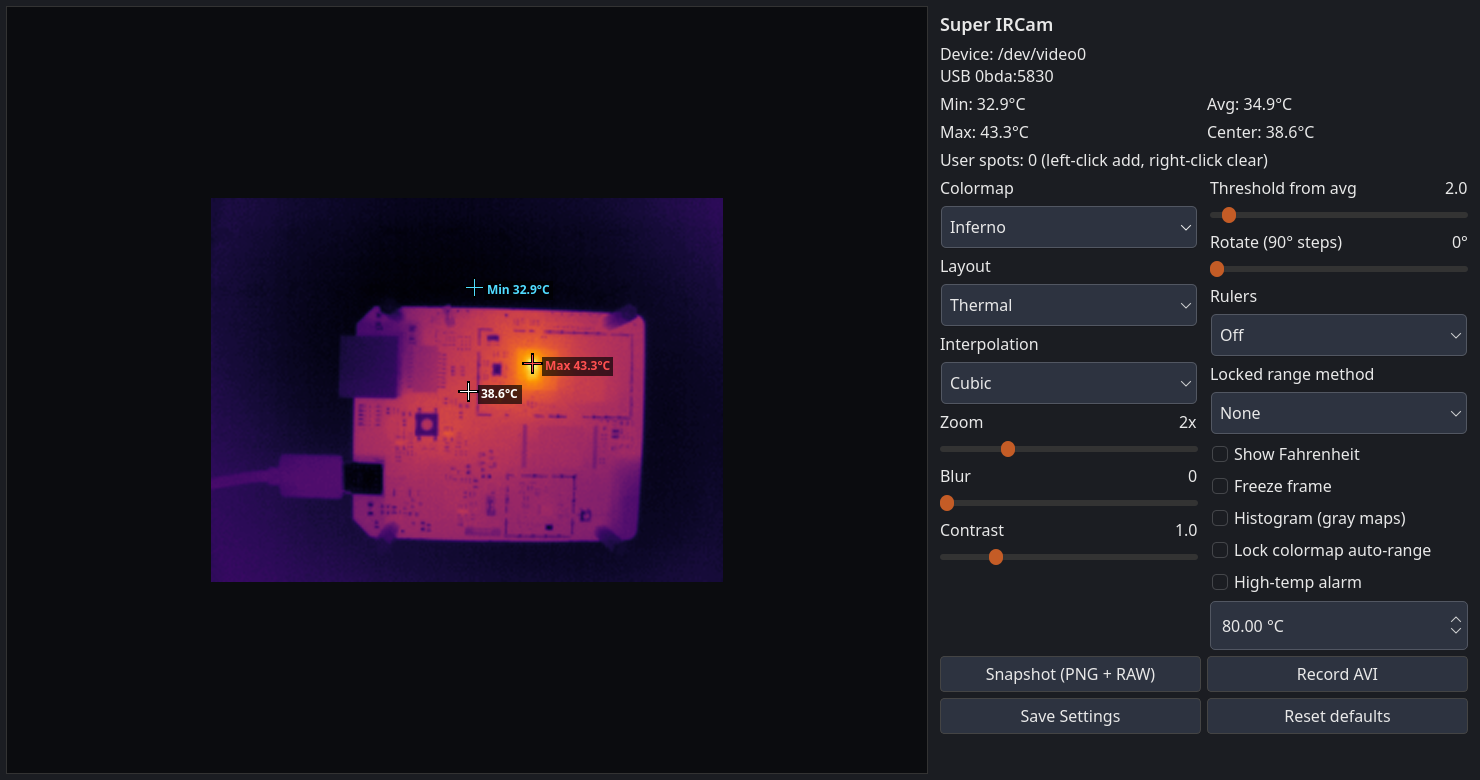
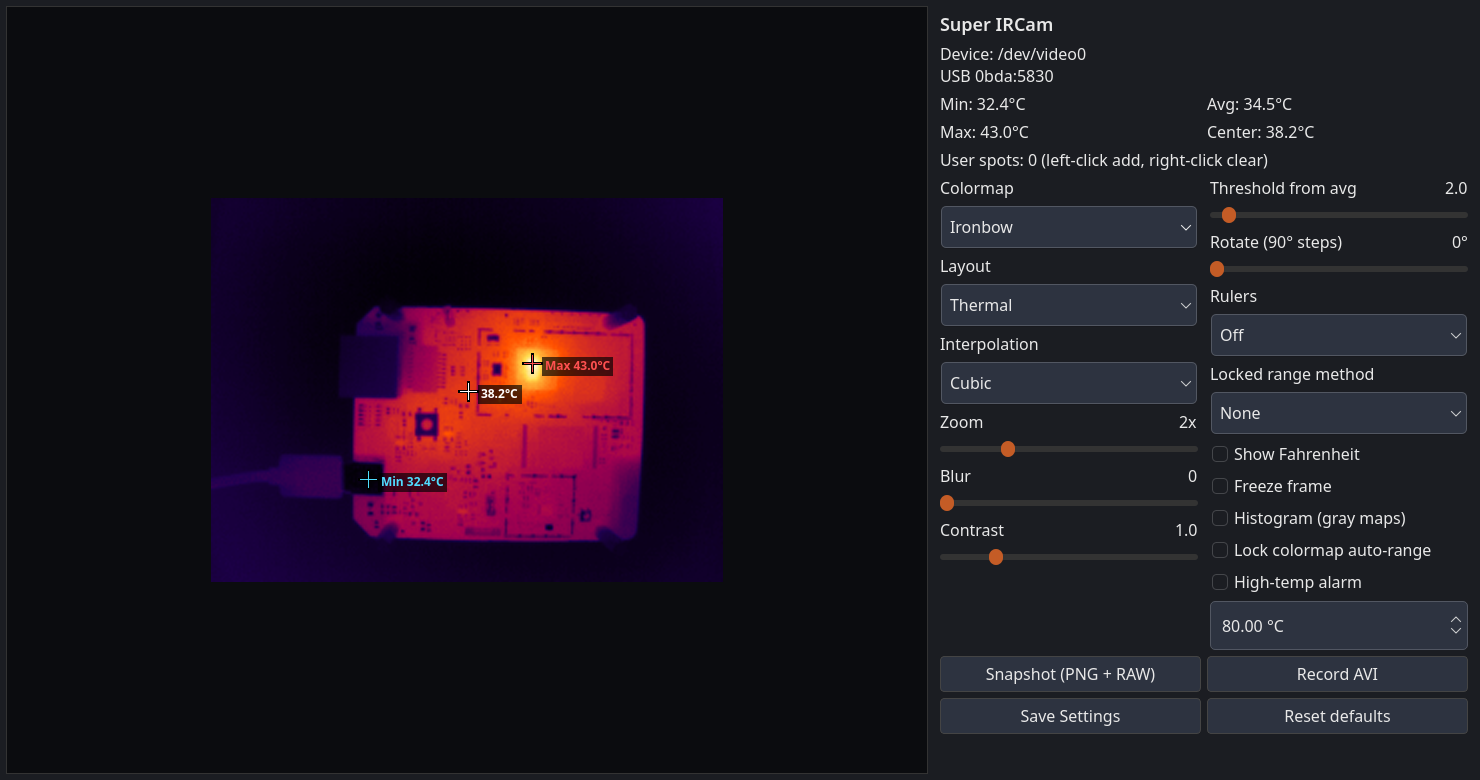
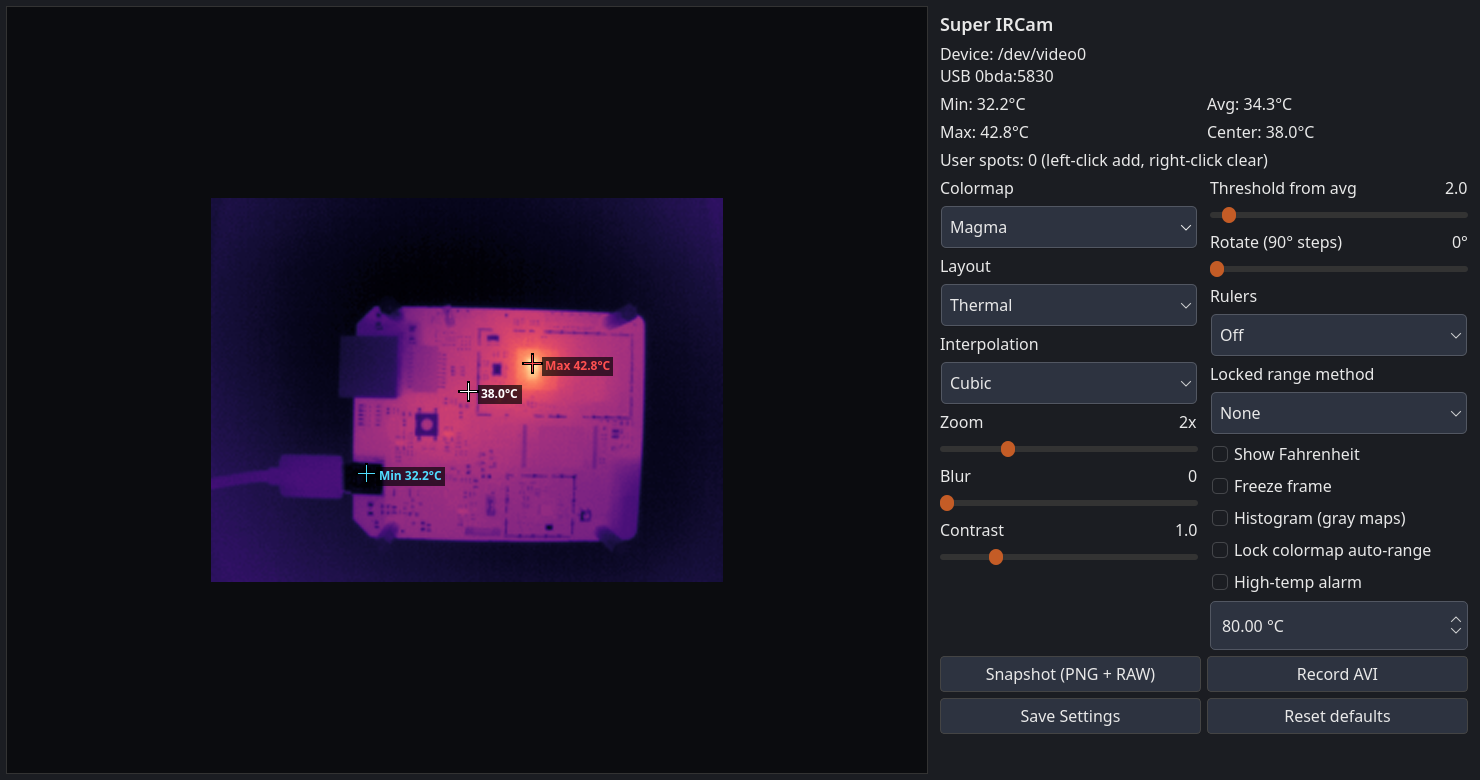
Image + thermal side by side:
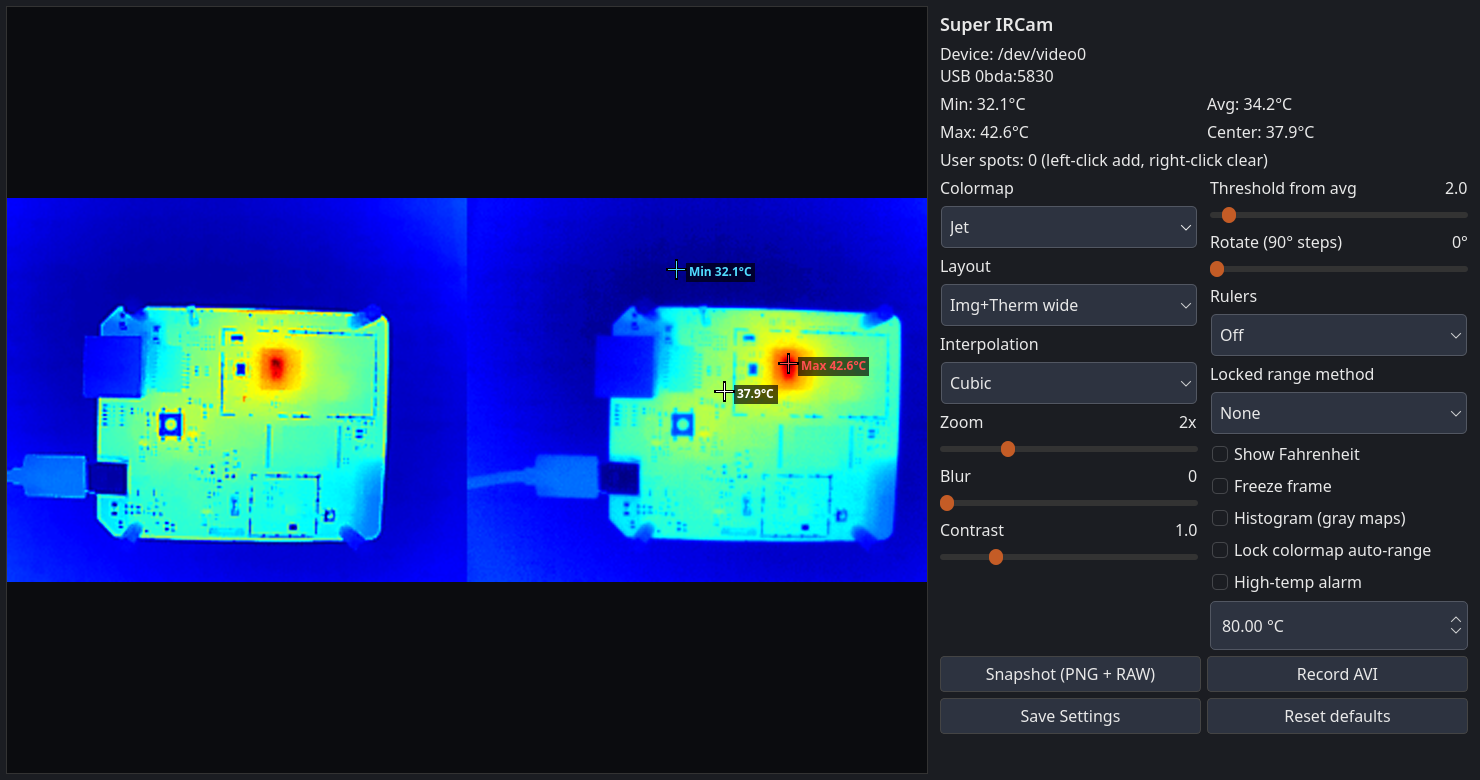
Visual-only layout (the Y plane):
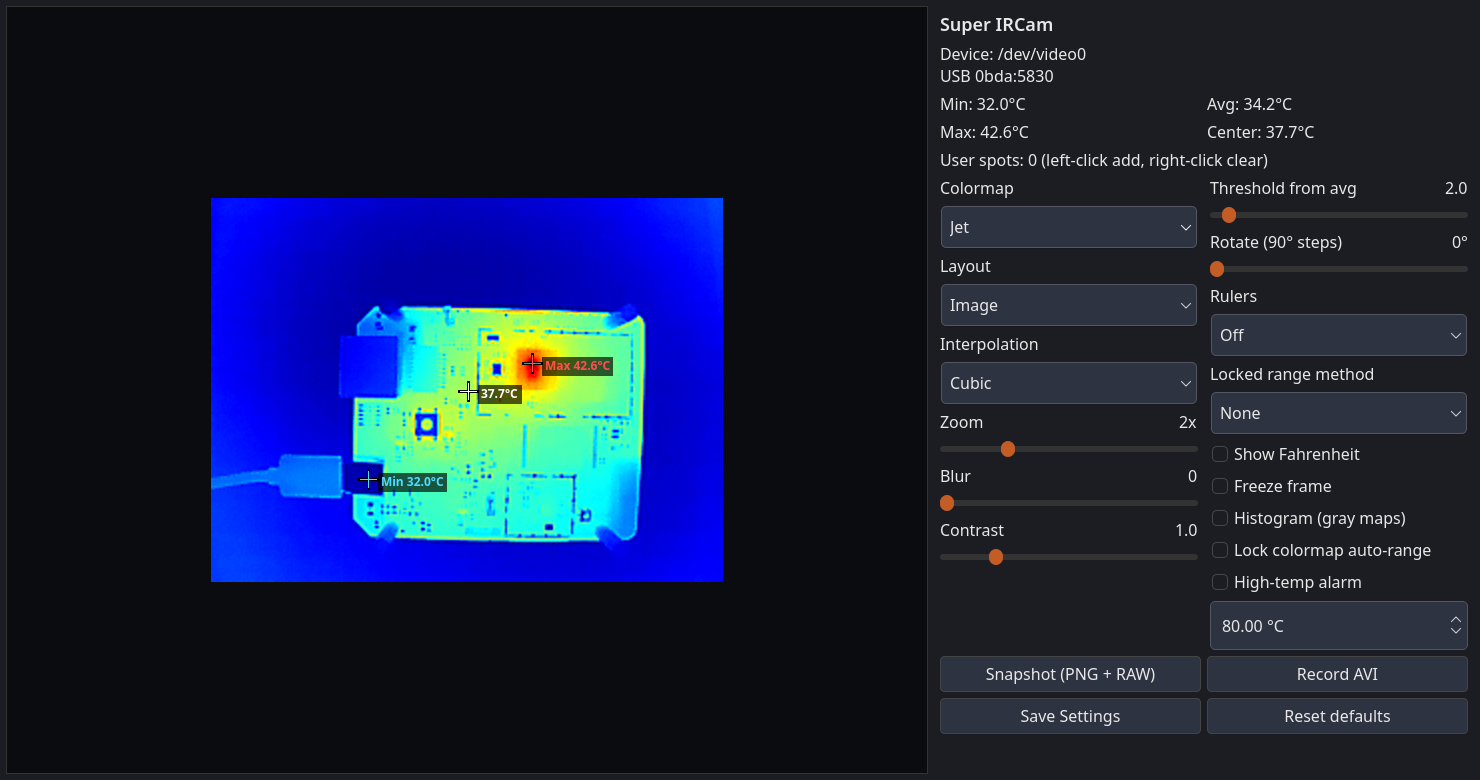
Left-click adds up to 12 spots on the image (temperature drawn next to the crosshair). Right-click clears them. Save Settings writes ~/.config/super-ircam/settings.json. Snapshot is PNG+RAW. Record AVI is MJPG into ~/Videos.
Install Super IRCam (the Qt GUI)
There is no .deb. I tried that first. A package built on Debian sid/forky wants libqt6*t64 and OpenCV 4.10 — dpkg -i on Ubuntu 22.04 dies immediately. Bundling those libs in a .deb still blows up on Jammy because glibc is newer on sid. So CI now publishes two portable artifacts from the Portable packages workflow:
https://github.com/stulluk/super-ircam/actions
SuperIRCam-x86_64.AppImage(built on Ubuntu 22.04)SuperIRCam.flatpak(KDE Platform 6.10, OpenCV compiled inside the sandbox)
I run the same files on this Debian desktop and on a Lenovo T14 (Ubuntu 22.04). Your user should be in the video group. Plug the module in first, wait ~3 seconds for NUC. A normal webcam on the same machine is ignored; Super IRCam looks for 0bda:5830.
AppImage
chmod +x SuperIRCam-x86_64.AppImage
./SuperIRCam-x86_64.AppImage
Ubuntu 22.04 needs libfuse2 for double-click (sudo apt install libfuse2). I hit that on the T14: only fuse3 was installed, FUSE mount failed, extract-and-run still worked:
APPIMAGE_EXTRACT_AND_RUN=1 ./SuperIRCam-x86_64.AppImage
Flatpak
flatpak remote-add --if-not-exists --user flathub https://flathub.org/repo/flathub.flatpakrepo
flatpak install --user SuperIRCam.flatpak
flatpak run com.github.stulluk.SuperIRCam
That pulls org.kde.Platform//6.10 from Flathub on first install. The manifest uses --device=all so raw V4L2 can open /dev/video*. The GNOME/KDE camera portal is not enough for this UVC radiometry node — I tried thinking “just grant camera permission” and that is the wrong model.
To rebuild locally (Docker, no host -dev packages):
git clone https://github.com/stulluk/super-ircam.git
cd super-ircam
./scripts/docker_build_appimage.sh
./scripts/docker_build_flatpak.sh   # privileged Docker (bwrap)
Install Redux (the CLI / OSD app)
If you prefer the original keyboard UI, or you want both:
git clone https://github.com/stulluk/Thermal-Camera-Redux.git
cd Thermal-Camera-Redux
./dockerbuild.sh
./indockerbuild.sh
sudo dpkg -i dist/thermal-camera-redux_0.9.3-1_amd64.deb
Then:
redux
No DISPLAY= / LD_LIBRARY_PATH= hacks on a normal desktop. Default scale is 3. Pass -d N if you want to force a video node. -help dumps the full key list (j/m colormap, r record, p snapshot, q quit, …).
How I built it
Short version: Redux proved the USB format and that the pictures can look great. Super IRCam is a clean-room Qt viewer on the same UVC stream. I did the Linux packaging, auto-detect, overlays, settings JSON, AVI path, and the AppImage/Flatpak split with Cursor in the loop.
License note: Redux / PyThermalCamera keep their prior licenses. Super IRCam is original GUI code (MIT in that repo). I am not relicensing 92es’s tree.
If you have one of these InfiRay-ish USB modules and you live on Debian or Ubuntu 22.04, download the AppImage or the Flatpak and run it. That is what I actually use on the bench.